Nixos backup
I am daily using my NixOS PC with a flake configuration that I host on Github check out here. But what if my configuration crashes my PC? Fortunately, that’s not possible with NixOS, as we’ll see in this blog post.
If you’ve already used NixOS, you’re probably familiar with this:
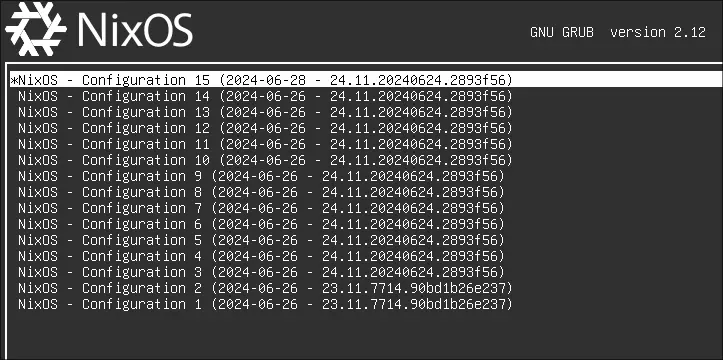
When your system boots, GRUB allows you to select which kernel you want to boot. See sudo ls /boot/loader/entries/.
How does it work?
Unlike most Linux distributions, upgrading NixOS does not replace your running system in place.
Every rebuild sudo nixos-rebuild switch ... builds a completely new system inside the Nix store. Once the build succeeds, NixOS creates a new generation and updates the current system symlink to point to it, you can see with readlink /run/current-system. Each generation is immutable. Previous generations remain available until they are garbage collected, allowing you to boot or switch back to any previous version of your system.
You can compare two generations with sudo nix profile diff-closures --profile /nix/var/nix/profiles/system
Rollback
-
CLI: You’ve run a rebuild, but it caused problems or errors. How do you roll back? It’s very simple:
sudo nixos-rebuild switch --rollback -
Boot: You will select in the boot loader as seen before.
-
nixos enter: So, you’ve messed up real badly (e.g: corrupted storage, kernel or bootloader configuration issue) You’ll need to boot from the installation ISO if you’re on bare metal, use a USB drive, and if you’re in a VM, mount the ISO. Then:
lsblk -f # find partition
mount /dev/nvme0n1p1 /mnt/boot
mount /dev/nvme0n1p2 /mnt
nixos-enter
nixos-enter is a chroot or in-target, then after that modify your configuration and rebuild
nixos-rebuild switch --flake .#<hostname>
exit
umount /mnt/boot
umount /mnt
reboot